Stibo DX moves to Atlassian Cloud
FAQ
Stibo DX is transitioning the Atlassian platform (Service Desk, Confluence, Bitbucket, and Jira) to the cloud to give you access to the latest features, improved reliability, and new AI-powered capabilities.
We have collected the most frequently asked questions the FAQ section below. You can also watch our on-demand webinar and learn what the move means for you.
About the migrating
Why is Stibo DX migrating to Atlassian Cloud?
Stibo DX is moving to Atlassian Cloud to provide a faster, more scalable platform, enhanced collaboration capabilities, automated updates, and a modernized, more intuitive user experience.
Which products are affected?
The migration includes Jira, Service Desk, Confluence, and Bitbucket.
When will the migration take place?
The migration will take place on September 18–20, 2026.
Access and URLs
Will the URLs change?
Yes. New URLs will be introduced for all Atlassian applications. Final URLs will be communicated as soon as they are available.
Will the old URLs continue to work?
Yes. The old URLs will temporarily redirect you to the new URLs until the end of 2026.
Will my login credentials change?
Your Service Desk, Jira Confluence and Bitbucket login credentials will not change.
Do I need to create a new Atlassian account or verify my email address?
No. Your existing user account will be migrated.
Do I need to update bookmarks or saved links?
As part of the cloud migration, re-direct will be setup from the current URLs to new URLs. This operation should ensure that links are redirected.
Will my permissions, project roles, groups, and access remain the same?
Yes. Everything will remain unchanged.
Downtime and availability
Will there be downtime?
Yes. The Atlassian platform will be in read-only mode during the migration window, which takes place on September 18–20, 2026.
What is the contingency plan if the migration is delayed?
If the migration is delayed, a revised timeline will be announced. The system will remain in normal operational mode until the revised plan is executed.
User experience
Will my existing support tickets still be available?
Yes. Existing tickets and their history will remain available after the migration.
Will Jira issue keys remain the same?
Yes. All Jira issue keys will remain the same.
What changes can I expect in the user interface?
You may notice changes to:
- Navigation and menus
- Page layouts
- Ticket views
- Editing experience
- Search and filtering
Will Marketplace apps or plug-ins change?
Yes. Some apps and plug-ins will change. More information will be shared before the migration.
Will the way I submit support requests change?
No. The support process remains unchanged. Only the platform URL and user interface are changing.
Will my existing customer-specific workflows or support processes change after the migration?
No, the workflows or support process will remain the same after the migration. Only the platform URL and user interface are changing.
What happens if a critical operational issue occurs during the migration weekend?
Throughout the migration weekend, our Support team will remain available to assist customers with critical production issues. If you experience a business-critical incident, please contact our Support team via the usual support hotline and follow up with an e-mail with Supplementary context (logs, screenshots, details).
To ensure focus on maintaining business continuity during the migration, non-critical requests will be addressed once the migration has been completed and the new platform is fully operational.
Will the way I am interacting with the project team(s) and project manager change?
No. Our processes for supporting and interacting with you is not changing.
Will the way customers submit feature requests or product feedback change after the migration?
No. The process remains unchanged. Only the platform URL and user interface are changing.
Will the process for reporting bugs or collaborating with Development change
No. The process for reporting bugs or collaborating with Development does not change.
Personal settings and customizations
Will my dashboards and saved filters be migrated?
Most personal configurations are expected to carry over, but you should review your dashboards, filters, reports, and widgets after the migration.
What should I validate after go-live?
Check the following to confirm that everything works as expected:
- Dashboards
- Saved filters
- Reports
- Gadgets and widgets
- Personal settings
Security and data
Will my data be lost during the migration?
All data in Service Desk, Jira, Bitbucket, and Confluence will be migrated to the cloud. During the migration, the Data Center servers are placed in read-only mode, preventing any modifications to the data. As a result, once the cloud environment is live, you can continue working with the migrated data, which has remained unchanged throughout the migration process.
Learning and support
Will there be a webinar?
Yes. A customer webinar, including a live Q&A session, was held on September 3, 2026. Fill out the form at the top of this page and receive the webinar recording.
How can I prepare for the migration?
We recommend that you:
- Review migration communications.
- Attend the migration webinar.
- Update bookmarks after migration.
- Familiarize yourself with the cloud interface.
- Verify your dashboards and filters after go-live.
Who should I contact if something is missing after go-live?
If something is missing after the migration, go to your DX Service Desk and create a service request of the type “Other requests.”
What is the expected hypercare period after migration?
The hypercare period is expected to last one month after the migration. If required, the hypercare period will be extended.
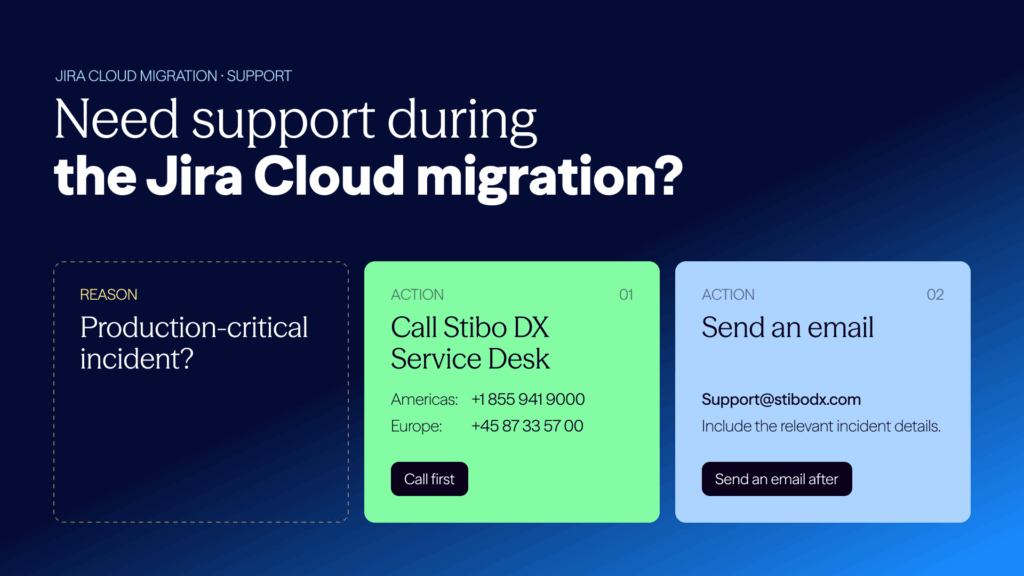
How to get support during a critical production issue in the migration weekend?
For any production-critical incident, please follow these steps:
- Call the Stibo DX Service Desk:
– Americas: +1 855 941 9000
– Europe: +45 87 33 57 00 - After calling, send an email with the relevant incident details to: Mail to StiboDX SD
On-demand webinar
Stibo DX moves to Atlassian Cloud
Stibo DX is transitioning the Atlassian platform (Service Desk, Confluence, Bitbucket, and Jira) to the cloud to give you access to the latest features, improved reliability, and new AI-powered capabilities. The tools your teams use every day will remain familiar, and most personal settings will carry over automatically. Guidance and support will be available throughout the transition.
Watch our on-demand webinar on the move to Atlassian Cloud, and learn what the move means for you. Stibo DX experts explain what is changing, walk through the detailed timeline, share guidance on how to prepare, and answer the most common questions — including those raised during the live Q&A.